



SEPA xml Validator features now inbuild within the SEPA XML GENERATOR App
SEPA xml files can be very frustrating especially when you are under pressure to pay a supplier or just funds processed and into your account. Stress, worry and what what might you have done wrong…
So, we have tried to alleviate the issue as much as possible and recently we have made a number of improvements in order to validate your SEPA xml files before you upload to your bank for processing.
SEPA xml Validator features now live within SEPA XML GENERATOR
- Feedback from a SEPA XML GENERATOR Client:
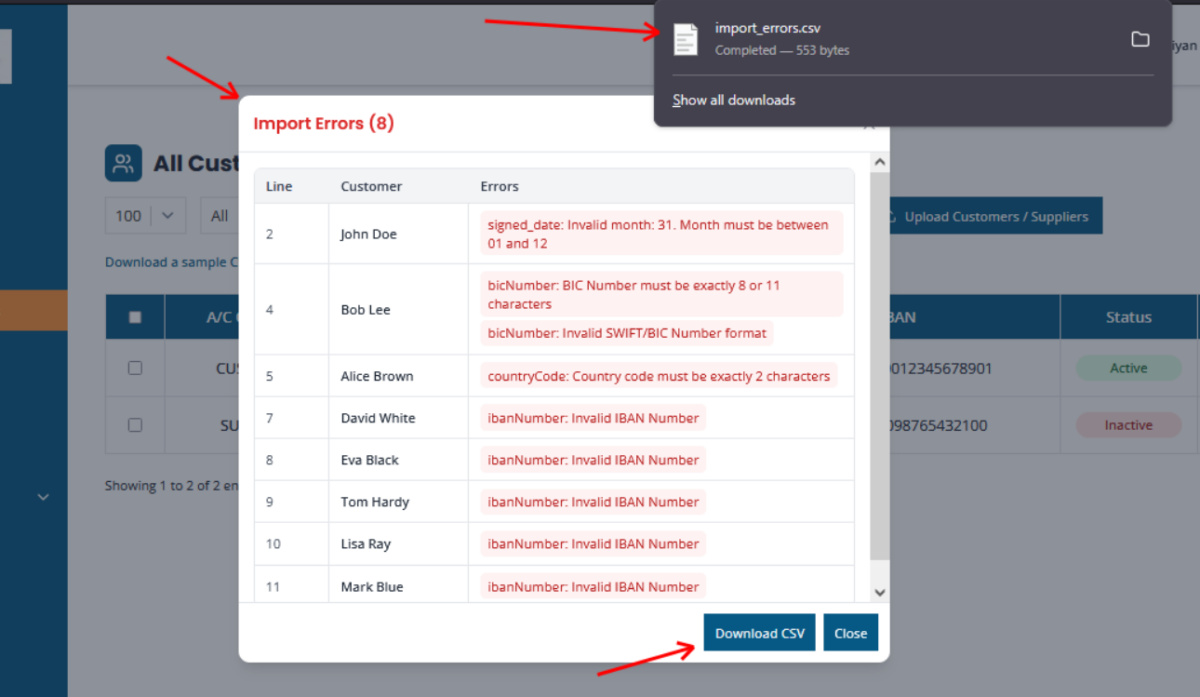
On import quickly displays import error and disappears. Needs to display clearly what all import error(s) are, Customer/Account name and CSV Line number issue and remain on screen until key is pressed or can be copied/exported.
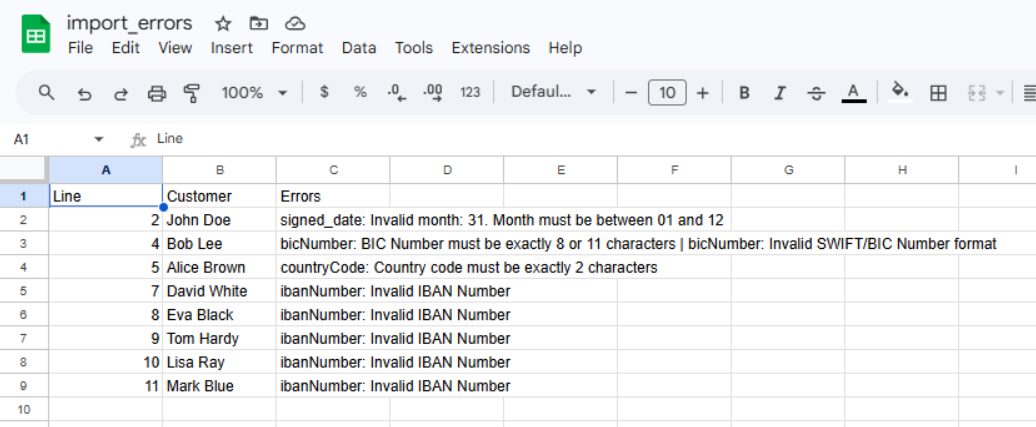
Solution: When the import errors occur during the customer import, the validator functionality kicks in, and a popup will display the Line, Customer Name, Errors in the tabular form, for better import errors display.
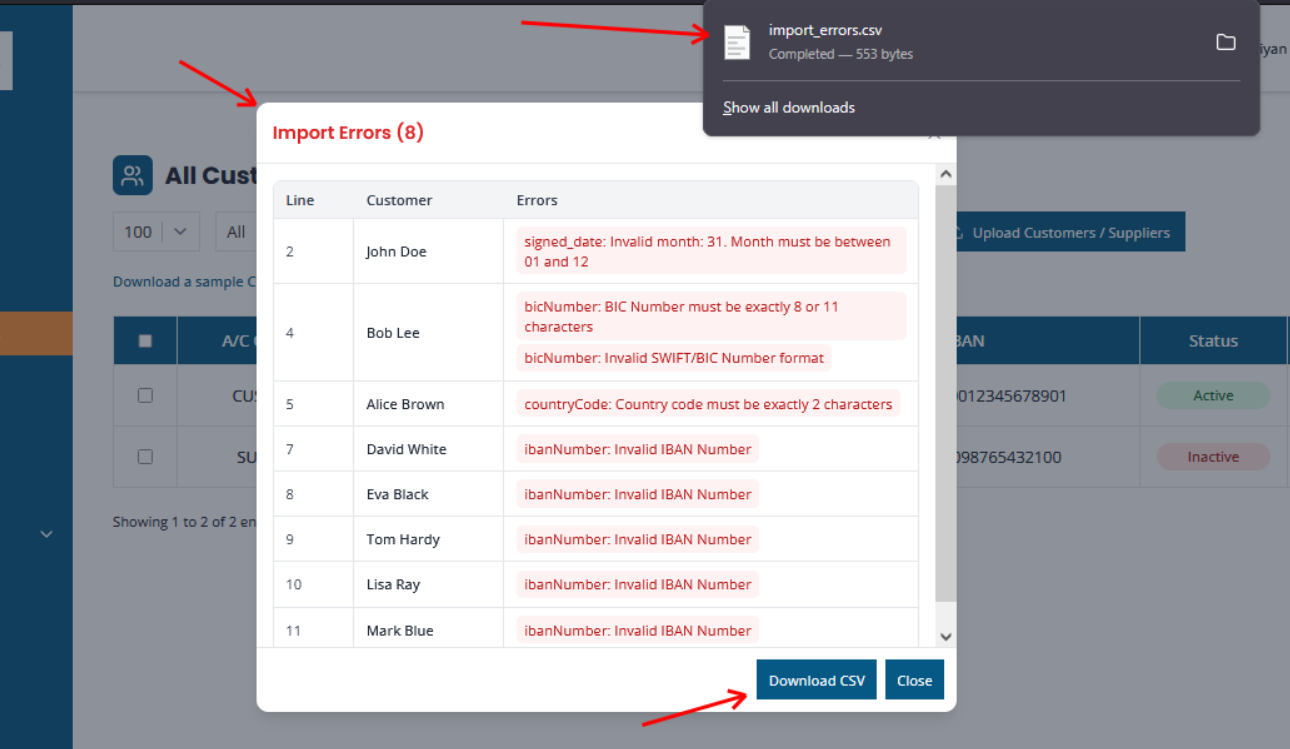
Also we have added a ‘Download CSV’, button in the same screen for downloading a import errors csv file contains imports errors.
Validate BIC and IBAN’s for SEPA xml Files
IBANS/BIC should be validated for length/syntax during import
Solution: Validations is now in place for IBAN and BIC numbers for length and syntax.
Validation for BIC: Must be exactly 8 or 11 characters; validates against standard SWIFT/BIC pattern: Bank Code (4 letters) – Country Code (2 letters) – Location Code (2 alphanumeric) – Branch Code (3 alphanumeric, optional)
Validation for IBAN: We validate it using the IBAN library (which checks length, format and checksum).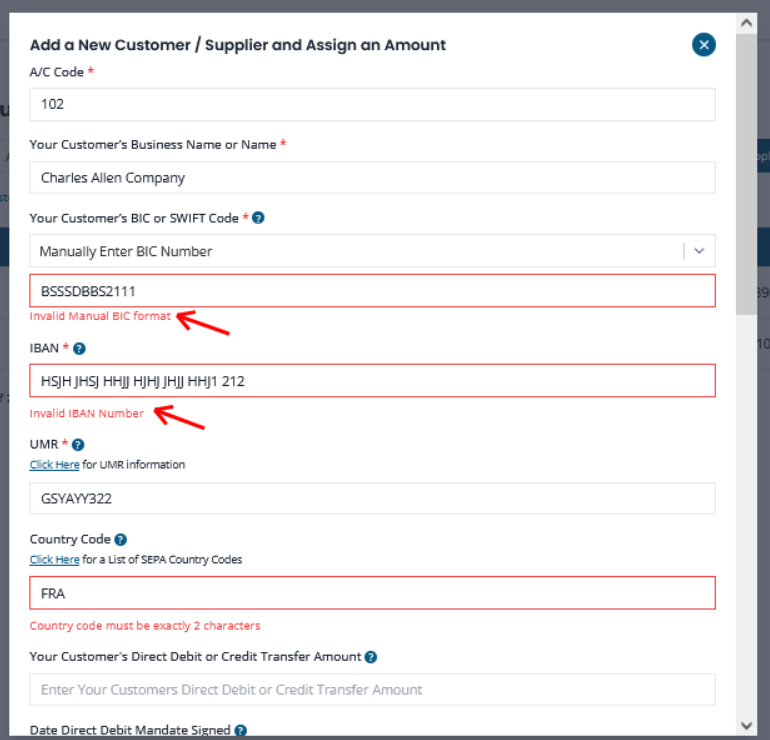
You will also notice that the Country Code now has a restriction attached, all Country Codes must be two alphabethic characters. It will be rejected if more that two characters are inserted.
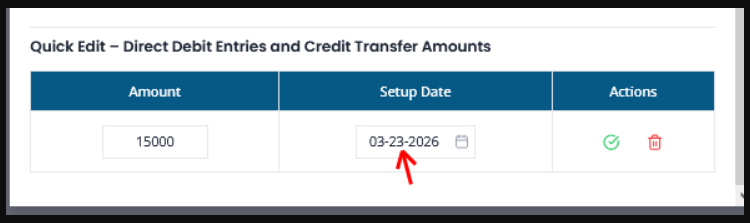
Format of Signature Dates…for Direct Debits
Client feedback:
Date import format is not clear. Is it DDMMYYYY or MMDDYYYY etc
And so, we have updated the date format to MM-DD-YYY in the ‘Add a new customer/supplier’ screen, see:

Validate your SEPA xml files today with SEPA XML GENERATOR…set up a free trial today…
Setup a trial account today, complete the form here.