



Unique Mandate Reference (UMR) for SEPA Direct Debits
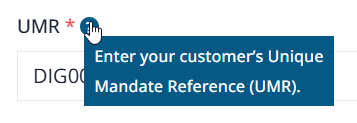
Usually, on the top section of a Direct Debit Mandate like this example here from Digital Sales you will see a field titled, Unique Mandate Reference (UMR).

The entry is used as an internal reference for the debtor to identify and match the mandate, the field is populated by the payment recipient (the Direct Debit company, in this example Digital Sales), not the debtor.
Essentially, a Unique Mandate Reference is a unique reference which identifies each Direct Debit Mandate signed by the Debtor for any given Creditor, known as mandate identifier on the SEPA Direct Debit transaction. A bit like a customer number on an accountancy package. The Unique Mandate Reference (UMR) is supplied by the creditor
There are a few stipulations when assigning a Unique Mandate Reference (UMR). If these are not adhered to the file will be rejected by your bank.
Stipulations for a Unique Mandate Reference (UMR) number
- This code is generated by the payment recipient
- It must be unique
- The code is a free text field of up to 35 characters
- It must be on a SEPA xml Direct Debit File
- This UMR must remain constant for the lifetime of the mandate and must be quoted on every collection.
Designating a Unique Mandate Reference (UMR) – 5 Guidelines regarding characters
a b c d e f g h i j k l m n o p q r s t u v w x y z
A B C D E F G H I J K L M N O P Q R S T U V W X Y Z
0 1 2 3 4 5 6 7 8 9
/ – ? : ( ) . , ‘ + (These characters are also valid characters but they should not be inserted as the first or last character within any field) – simply its best to completely avoid these characters
Space Characters outside this character set will not be supported in the SEPA schema e.g. @, á, Ü.
Unique Mandate Reference (UMR) Functionality within SEPA XML GENERATOR
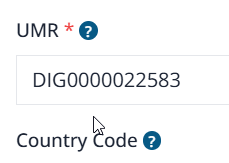
Within SEPA XML GENERATION there are two methods of adding a unique Unique Mandate Reference (UMR) via a csv upload or manually. See the file attached here and also below when adding a customer manually.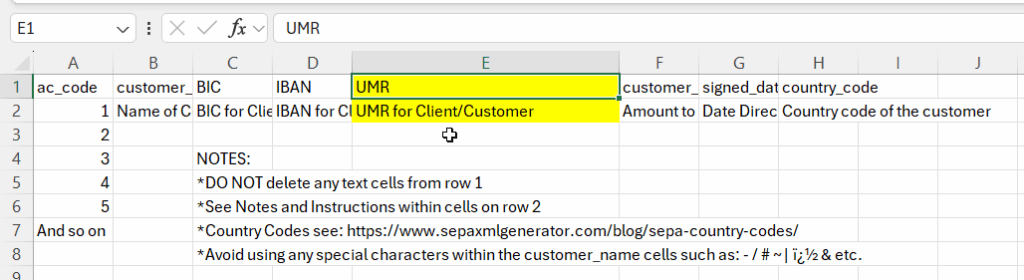
Summary, Unique Mandate Reference (UMR)
The Unique Mandate Reference (UMR) is a free text field of up to 35 characters which must be the same for the first direct debit payment and each subsequent direct debit payment. If the UMR cannot be provided on the mandate form before the customer signs the mandate, then the UMR must be provided separately to the customer before the first collection.