A Guided Walkthrough of SEPA XML GENERATOR
Product Tour
Getting Started

Three Steps to Your First File

Follow the journey from an empty account to a validated SEPA XML file, ready to upload to your bank.

01 Step 01

Set Up Your Company Profile

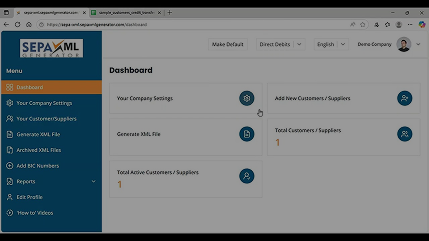
Add your company settings, upload permanent BIC numbers, and add your clients and suppliers to your account.


Set Up Your Company Profile
02 Step 02

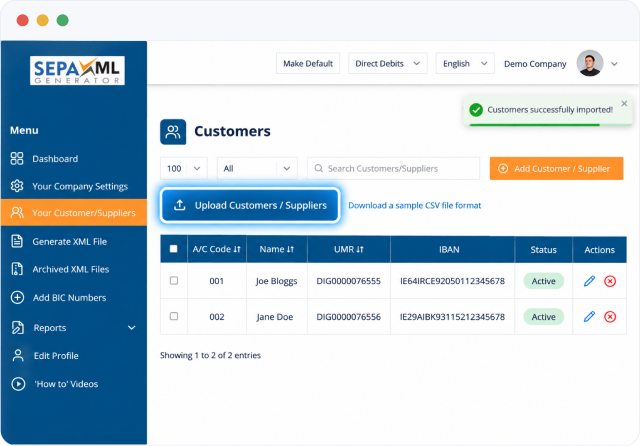
Mass Upload Customers via CSV

Import or update customers and suppliers in bulk using a CSV file — no repetitive manual entry.
Mass Upload Customers via CSV
03 Step 03

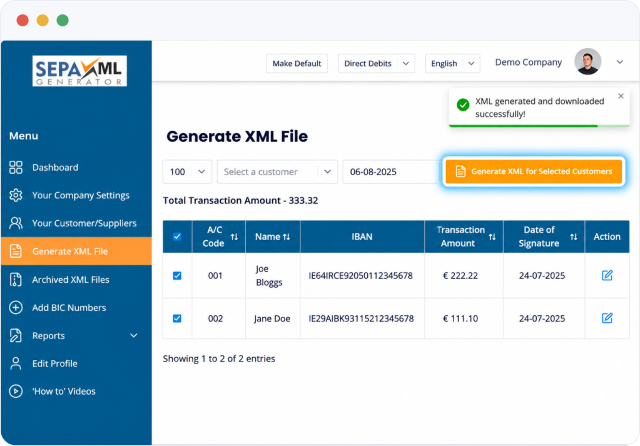
Generate Your SEPA XML File

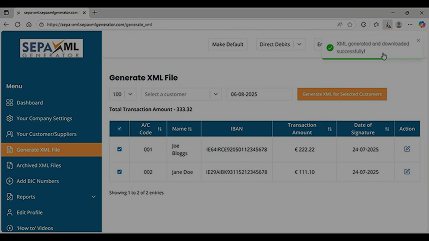
Select customers, review totals with the automatic sum calculator, and generate a bank-ready SEPA XML file to download.
Generate Your SEPA XML File
Key features

Everything the Software Does

The complete feature set of our Direct Debit & Credit Transfer XML software.

  • Quickly generate SEPA XML Direct Debit & Credit Transfer files
  • Generate files as often as required each month, including Direct Debit collections at the start and/or the middle of the month
  • CSV Convertor — extract files from accounts packages into compatible SEPA XML for Direct Debits and Credit Transfers
  • Web based — access the application with an internet connection
  • SEPA API integration with accountancy software if required
  • Dual Functionality — Quickly switch from Direct Debit to Credit Transfer
  • Add more than one Master Bank Account and switch between each account within the same account
  • Quick Edit functionality for customer amounts
  • Automatic Sum Calculator for total XML amounts
  • Permanent BIC Number upload
  • Reference Number feature for Credit Transfers
  • Merge or combine multiple SEPA XML files
  • Mass Update of Customers via a CSV file upload if required
  • Mass & Quick Customer Delete functionality for increase security
  • Validator functionality inbuilt into the software
  • Email One Time Password applied for greater security
  • OIN, CI Number & Bank Details permanently hidden for increased security
  • Archived XML files available (if selected) and permanently deleted if required
  • Clear Sensitive Data functionality built into the software
  • System and user accounts backed up remotely on a daily basis
  • Password Reset functionality within the dashboard for increased security
  • Reporting functionality embedded into the software
  • How-To videos embedded into the dashboard
  • Free phone & email support
Watch & learn

Guides & Tutorials

Short walkthroughs covering the essentials — also embedded directly in your dashboard.

Setting up your Company Profile, adding BIC Numbers and adding Clients and Suppliers
Getting Started

Setting up your Company Profile, adding BIC Numbers and adding Clients and Suppliers

Mass uploading Customers or Suppliers using a CSV file
CSV Import

Mass uploading Customers or Suppliers using a CSV file

Generating a SEPA XML File with SEPA XML GENERATOR
XML Generation

Generating a SEPA XML File with SEPA XML GENERATOR

Generate Your First SEPA XML File Today

Start a free SEPA XML GENERATOR trial — no obligation. Create Direct Debit or Credit Transfer files and submit them straight to your online bank.