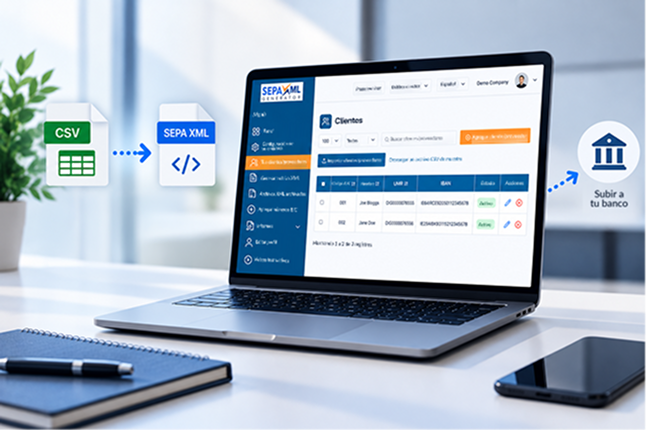
A business might have its customers’ bank details organised, direct debit mandates up to date and payment amounts agreed. But how does it turn all that information into instructions a bank can process?
That’s where pain.008 comes in. It’s an XML message used to prepare SEPA Direct Debit collections. Its structure organises information about the business, payers, mandates and transactions in a standardised format.
Understanding how this information is organised makes it easier to spot errors, check details and avoid having to redo work. In this guide, we’ll look at the main elements of pain.008 through a straightforward example, with no advanced programming knowledge required.
What is a pain.008 file?
pain.008 is an ISO 20022 message used to initiate direct debit collections. Its technical name is Customer Direct Debit Initiation, and its purpose is to send collection instructions from the creditor to the payment service provider.
In the context of SEPA Direct Debit, the file makes it possible to group multiple collections in an XML structure, following the technical guidelines of the European Payments Council (EPC).
Imagine a business that needs to collect monthly payments from 50 customers. Rather than preparing each instruction separately, it can organise the transactions in a single file, provided the details and submission requirements are correct.
A pain.008 file, therefore, is not proof that a transfer has been completed. It contains instructions that still need to be received and processed by the financial institution.
How is a pain.008 XML file structured?
An XML file uses elements identified by tags to organise information. In pain.008, these tags follow a defined hierarchy, allowing systems to recognise each piece of data and its purpose.
The structure has three main sections: Group Header, Payment Information and Direct Debit Transaction Information.
Group Header: File identification
The Group Header (GrpHdr) contains general information about the message, such as its identifier, creation date, number of transactions and control totals.
These details help identify the file and check its contents. For example, if the declared number of transactions does not match the actual contents, the message may contain inconsistencies.
Payment Information: Collection details
The Payment Information (PmtInf) section organises information shared by a group of transactions.
This is where you’ll find elements relating to the creditor, payment type, scheme used and requested collection date.
A file may contain several sections of this kind, depending on how the instructions are organised and the applicable technical rules.
Direct Debit Transaction Information: Individual transaction details
Within the payment sections, the Direct Debit Transaction Information (DrctDbtTxInf) element identifies each collection.
It includes details such as the amount, transaction identifier, payer information and mandate references.
This arrangement allows a single file to contain multiple instructions while keeping each transaction individually identifiable.
What are the main fields in a pain.008 file?
Although the XML contains many elements, some are particularly important when it comes to understanding how collections are prepared.
| XML field | Purpose |
| MsgId | Identifies the submitted message |
| CreDtTm | Records the creation date and time |
| NbOfTxs | Specifies the number of transactions |
| PmtInfId | Identifies the group of payment instructions |
| ReqdColltnDt | Specifies the requested collection date |
| EndToEndId | Uniquely identifies a transaction |
| InstdAmt | Specifies the collection amount |
| MndtId | Identifies the direct debit mandate |
| DtOfSgntr | Records the date the mandate was signed |
These fields do not cover every requirement of a pain.008 message. The message must also include bank details, identification of the parties involved and other elements required under the applicable rules.
The version of the standard and the financial institution’s requirements determine which details must be provided and how they should be organised.
Practical example: How do you read a pain.008 XML snippet?
Consider a fictional business that needs to collect €150 from a customer who has authorised the direct debit. The transaction has its own identifier and is linked to a previously recorded mandate.
A simplified representation of part of the collection would look like this:
<DrctDbtTxInf>
<PmtId>
<EndToEndId>INV-2026-001</EndToEndId>
</PmtId>
<InstdAmt Ccy=”EUR”>150.00</InstdAmt>
<DrctDbtTx>
<MndtRltdInf>
<MndtId>MANDATE-001</MndtId>
<DtOfSgntr>2026-10-15</DtOfSgntr>
</MndtRltdInf>
</DrctDbtTx>
</DrctDbtTxInf>
This is an illustrative example using fictional data. The snippet has been simplified for clarity and is not a complete, validated file ready for submission to a bank.
In this example, EndToEndId identifies the transaction, while InstdAmt records the amount of €150. The Ccy attribute indicates the currency used.
MndtId is the mandate reference, and DtOfSgntr records the date the mandate was signed.
These details must match the business’s records. For example, if the mandate identifier does not match an existing authorisation, it could cause problems with processing or providing evidence of the collection.
How do these details relate to preparing the file?
In practice, a business needs to gather information such as the amount, collection identifier, customer details and mandate reference before generating the XML.
A file-generation tool arranges these details in the required technical structure, so users do not have to write every tag manually.
The example illustrates this relationship at a conceptual level. It does not reproduce specific screens or fields from the SEPA XML Generator interface.
What errors can cause an XML file to be rejected?
An XML file is not necessarily ready for processing simply because its tags are correctly organised. The financial institution also checks technical and operational requirements.
Issues that may prevent acceptance include missing mandatory information, incompatible message versions, inconsistent amounts and invalid bank details.
It’s also important to distinguish between two situations: rejection of the file and rejection of an individual collection.
A file may have a structural issue that prevents it from being accepted. In other cases, the message may be accepted, but a particular transaction may have an issue, such as incorrect bank details or a problem with the mandate.
The outcome depends on the rules of the SEPA scheme and the procedures of the financial institution involved.
How do you prepare and validate pain.008 files?
Careful preparation starts before the XML file is generated. The business should check customer information, verify authorisations and organise collection amounts and dates.
It then needs to use a structure compatible with the message version accepted by its bank.
Technical validation can identify formatting and structural issues, but it does not guarantee that every collection will go through. Further banking and operational checks may still apply.
SEPA XML Generator provides tools for generating SEPA XML files. To see how the platform works, take a look at the Product Tour.
For more detailed technical requirements, the main references are the ISO 20022 documentation and the EPC Implementation Guidelines.
Frequently asked questions about pain.008
What is the difference between pain.008 and pain.001?
pain.008 is used to initiate direct debit collections, while pain.001 is used for credit transfer instructions. They are different messages, each with its own structure and purpose.
Can a pain.008 file contain multiple collections?
Yes. The structure allows multiple transactions to be organised in a single file. The number accepted and the processing conditions depend on the bank’s technical and operational rules.
Does a valid pain.008 file guarantee that a collection will go through?
No. Structural validation does not replace checks carried out by the bank. A collection may still be rejected or returned because of issues with the details, authorisation or transaction conditions.
Prepare your SEPA XML files with greater confidence
Understanding the structure of pain.008 makes it easier to organise collections and identify potential inconsistencies before submitting a file to the bank.
SEPA XML Generator lets you prepare XML files without having to build the entire technical structure manually. Explore the features available in the Product Tour and discover how to simplify this part of your workflow.