Paying a supplier in Germany can follow the same transfer scheme as paying one in Portugal. This standardisation is one of the main advantages of SEPA Credit Transfer, particularly for businesses that need to manage payments across different European countries.
When dealing with large volumes of payments, organising the instructions sent to the bank becomes essential. XML pain.001 files allow businesses to group transfers into a standardised structure. In this guide, we explain how the process works and what to check before submitting a file.
What is SEPA Credit Transfer?
SEPA Credit Transfer (SCT) is a euro credit transfer scheme designed for payments between accounts reachable within the SEPA area. The business making the payment initiates the transaction, while the bank or payment service provider processes the instruction in accordance with the applicable rules.
The European Payments Council (EPC) publishes the scheme’s rulebook, which sets out responsibilities, information requirements and operational procedures. Having accounts in different countries does not automatically make a transfer an international payment outside SEPA, even when one account is held in a participating country outside the euro area. SEPA transfers are carried out in euros (EUR), so it is important to check account reachability and the payment provider’s conditions.
Unlike SEPA Direct Debit, where the creditor initiates a collection based on a mandate, Credit Transfer is initiated by the payer. Understanding this distinction helps businesses decide which solution is more suitable for paying suppliers or collecting recurring payments.
How does a SEPA transfer work in practice?
The process begins when a business identifies who needs to be paid, which account should receive the funds and the amount due. The payment details are prepared and submitted to the bank, which checks the instruction against the relevant requirements before processing it. Confirmation of payment processing should then be monitored through the bank’s available channels.
From setting up a beneficiary to payment reconciliation
Consider a fictional distribution company that pays suppliers in Portugal and Germany. Its finance team gathers names, IBANs, amounts and invoice references. Once these details have been checked, the team prepares the payment instructions and submits them to the bank. Finally, it compares the bank’s responses and account statements against the invoices marked as paid.
This example is illustrative and represents one possible operational workflow. Specific submission and integration requirements vary from bank to bank. It also highlights why generating a file and confirming that funds have been credited are separate steps: the message organises the payment request but does not guarantee that the payment will be executed.
What is the purpose of XML pain.001?
The pain.001 message family is part of the ISO 20022 standard and is used to initiate credit transfers from a customer to a payment service provider. Rather than collecting payment instructions in free-form text, the XML file organises information into identifiable fields within a defined technical structure.
The EPC Implementation Guidelines establish rules for using these messages under the SCT scheme. Businesses should confirm which file version their bank accepts, as the latest version available in the ISO 20022 catalogue is not necessarily the version supported by every financial institution.
| Information | Purpose |
| Payer and originating account | Identifies who is requesting the transfer and which account will be debited. |
| Beneficiary and IBAN | Specifies the recipient and the necessary bank account details. |
| Amount in euros | Defines the amount of each payment instruction. |
| Payment reference | Helps identify the relevant invoice, salary or other payment obligation. |
| Identifiers and date | Organises instructions and supports verification and traceability. |
The table summarises categories of information rather than providing a complete list of mandatory XML fields. The requirements for each element depend on the current guidelines and the bank’s specifications.
Batch payments: examples and key considerations
One of the most useful applications for businesses is the ability to combine multiple payments into a single file. This can reduce repetitive administrative work, although it does not remove the need to review each transaction or replace internal approval procedures.
Supplier payments and payroll
In a hypothetical scenario, a company needs to pay 20 suppliers and process 15 salary payments. It can organise the details into payment groups, provided it follows the file configuration requirements and the bank’s approval procedures. This example is illustrative and does not represent a test carried out by SEPA XML Generator.
For payroll, it is important to distinguish between generating bank payment instructions and calculating salaries, deductions and employer contributions. An XML generation tool does not replace payroll software or determine whether the payment amounts are correct.
It is also worth checking for duplicate payments, inactive beneficiaries, incomplete references and discrepancies between the expected total and the sum of individual payments. These checks can help identify inconsistencies before the file is submitted.
How to prepare the file and check the submission
The starting point is data quality. Before generating the XML file, check IBANs, names, payment amounts, currency and any other information required by the bank. Internal approval controls should also be applied, particularly when a file contains payments of different values.
Next, verify the pain.001 version accepted by the financial institution, the permitted character sets and the file structure. The EPC publishes technical guidance, while individual banks may have additional requirements covering uploads, testing, cut-off times and the handling of bank responses.
Changes to address formats also require attention. After postponing the November deadline in September 2026, the EPC decided on 29 October to defer setting a new end date for the unstructured address format. The matter will be reviewed by February 2027, although migration to structured addresses remains recommended. Businesses should also consult the requirements adopted by their bank.
How does SEPA XML Generator fit into the process?
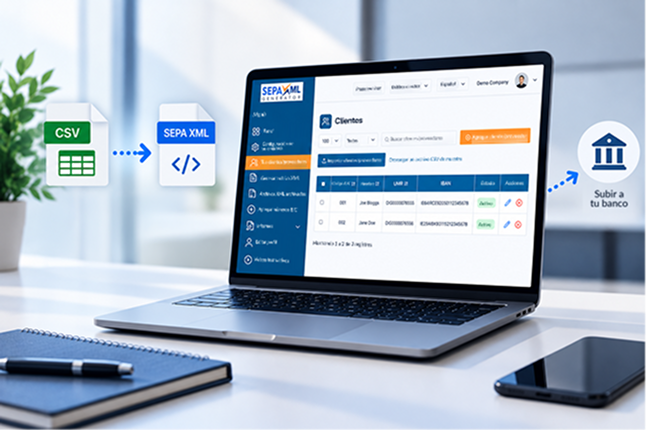
SEPA XML GENERATOR offers features for generating XML files for Credit Transfer and Direct Debit payments. Its Product Tour also outlines CSV imports, XML conversion, transfer references and built-in validation.
These features can help businesses prepare payment instructions, but they do not replace data checks, testing required by the financial institution or monitoring of payment execution. To assess whether the tool suits an existing workflow, businesses should compare their payment processes with the documented features and their bank’s requirements.
Frequently asked questions about SEPA Credit Transfer
What is the difference between SEPA Credit Transfer and SEPA Direct Debit?
With Credit Transfer, the payer initiates the transfer. With Direct Debit, the creditor requests payment collection based on a valid authorisation and the rules of the scheme.
Can a pain.001 file contain multiple payments?
Yes, provided the file structure and the banking service support grouped payment instructions. Limits and procedures should be confirmed with the financial institution.
Does generating an XML file mean suppliers have already been paid?
No. The XML file contains payment instructions. Their acceptance and execution depend on bank processing and the relevant verification procedures.
Organise your transfers with greater control
The main benefit of understanding SCT is knowing how to distinguish between payment data, instructions and execution. With verified information and a file prepared according to the correct requirements, finance teams can manage batch payments in a more structured way. Explore the features of SEPA XML Generator and assess your workflow before submitting files to your bank.