An XML file can be technically correct and still fail to meet a bank’s requirements. It might seem contradictory, but this distinction highlights an important aspect of SEPA payments: following an international standard does not automatically mean meeting every requirement of a particular transaction.
To understand these differences, it is important to know how SEPA XML and ISO 20022 relate to each other. The two terms frequently appear together, but they do not mean the same thing. In this guide, we explain their roles and show how finance teams can take a more thorough approach to preparing payment files.
What do SEPA XML and ISO 20022 mean?
SEPA refers to the area and set of payment schemes that enable euro payments under shared rules. ISO 20022, on the other hand, is an international standard for modelling and defining financial messages. It is used across different financial systems and transaction types, not just within SEPA.
According to the official ISO 20022 documentation, the standard provides a modelling methodology, a dictionary of business elements and rules for representing messages, including in XML. ISO 20022 is therefore not synonymous with a single file format.
The term SEPA XML generally refers to files structured according to the messages and requirements used for SEPA transactions. Businesses need to comply with the technical syntax, the rules of the relevant payment scheme and their bank’s specific requirements.
How do SEPA schemes use XML messages?
The European Payments Council (EPC) publishes payment scheme rules and implementation guidelines explaining how ISO 20022 messages should be used for SEPA transactions. These guidelines specify which information is relevant in each context.
A typical finance team workflow involves collecting information, preparing payment instructions, generating the file, carrying out checks and submitting it through a banking channel. Once the file has been submitted, the team must still monitor the bank’s responses and reconcile the transactions.
Standardisation does not mean universal acceptance
Using standardised messages makes exchanging information easier, but it does not eliminate differences in file versions, upload channels or banking procedures. Two banks may have different submission requirements. As a result, a file generated for one banking environment should not be assumed to work automatically with another.
pain.001 and pain.008: what are the differences?
The pain.001 and pain.008 message families are commonly used when preparing business payment files. Both belong to the payment initiation category, but they serve different purposes.
| Message | Purpose | Example of use |
| pain.001 | Initiates credit transfers. | Supplier payments and salary payments. |
| pain.008 | Initiates direct debit instructions. | Collection of recurring payments authorised by a mandate. |
The official ISO 20022 message catalogue identifies these message families and their definitions. The SEPA Credit Transfer Implementation Guidelines and the SEPA Direct Debit guidelines specify how they should be used within their respective schemes.
It is important to distinguish between a message family and a specific version, such as pain.001.001.03 or pain.001.001.09. The full message identifier includes additional revision numbers, and each bank determines which implementations it accepts. Using the latest version listed in the general catalogue does not guarantee compatibility with your banking service.
Which data and controls need attention?
The process begins with ensuring the reliability of the information: names, IBANs, amounts, currency, references, dates and relevant identifiers. For direct debits, mandate-related details must also be included in accordance with the scheme rules.
A practical example of reviewing payment files
Imagine two fictional payment batches. In the first, a finance team plans to pay five suppliers and notices a duplicate invoice reference. In the second, the team prepares recurring collections and discovers that a mandate identifier differs from the one held in its records. Both situations indicate that the data needs to be reviewed before submission.
These are illustrative examples, not actual support cases handled by SEPA XML Generator. They demonstrate that the quality of the source information matters just as much as the organisation of XML tags.
Keeping track of regulatory and scheme changes is also essential. In September 2026, the EPC postponed the November deadline for ending the use of the unstructured address format. On 29 October, it decided to defer setting a new end date, with the matter to be reviewed by February 2027. Migration to structured addresses remains recommended, and businesses should consult both scheme rules and their bank’s requirements.
What does XML validation check — and what does it not check?
Structural validation based on an XSD (XML Schema Definition) can identify missing elements, incompatible formats and issues that prevent a file from being read correctly. Additional validation rules may check consistency between fields or requirements specific to a particular implementation.
However, validation alone does not prove that a bank account exists, that an authorisation is valid in every respect or that funds will be transferred. It also does not replace balance checks, banking compliance procedures or monitoring the outcome of a transaction.
| Stage | Main question |
| Data verification | Are the payer, beneficiary and amount details correct? |
| File validation | Do the structure and fields meet the required format? |
| Bank verification | Does the bank accept this version and these instructions? |
| Reconciliation | Do the processing results and final records match expectations? |
Keeping these stages separate helps avoid the assumption that a “valid” file means a completed payment. A rejection may occur before processing begins or affect only a particular transaction.
How to organise a file preparation and review workflow
A consistent process starts by identifying the type of transaction. The finance team then determines which file format the bank accepts, checks the source records and prepares the information needed to generate the file. Before submission, technical validation and internal approval controls should be completed.
After uploading the file, the bank’s response needs to be monitored. If an error occurs, it is worth recording the reason, correcting the relevant information and assessing whether the issue requires a change to the data, the file or the banking configuration.
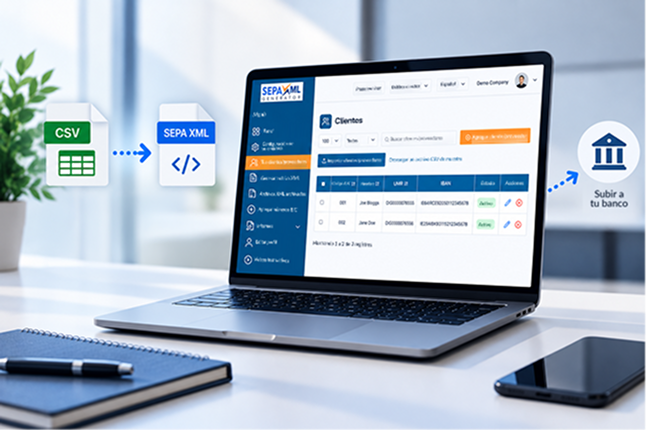
SEPA XML Generator states that it offers XML generation for Credit Transfer and Direct Debit, CSV import and conversion, and built-in validation functionality. These features can assist with file preparation, but compatibility and payment execution remain subject to the bank’s requirements and conditions.
Frequently asked questions about SEPA XML and ISO 20022
Is every ISO 20022 file a SEPA file?
No. ISO 20022 is an international standard used in a range of financial contexts. A SEPA file uses messages and rules specific to the relevant SEPA payment schemes.
Which message should be used to pay suppliers?
For initiating credit transfers, the pain.001 message family is generally used. The specific version and submission requirements should be confirmed with your bank.
Does a technically valid XML file guarantee that the bank will execute the payment?
No. Structural compliance is only one stage of the process. The bank must still carry out its own checks and may reject instructions for operational or data-related reasons.
Turn standardisation into a consistent review process
SEPA XML and ISO 20022 are most valuable when they help finance teams make practical decisions: choosing the right message, checking payment details and monitoring processing. To explore file generation and validation features, visit the SEPA XML Generator Product Tour and review your bank’s requirements before processing payments.